


Consider a scenario. You’re working on an important email and suddenly Outlook asks you to sign in again. Now once you sign in, the same prompt to sign in appears again. This could be annoying and will surely interrupt your work. There might be different factors which could cause this error. The most common causes includes outdated settings, corrupted cache files, profile issues or authentication errors. In this guide, we’ll share several easy fixes you can try, when this problem appears to you. We hope these solutions will help you to get rid of the issue.
Why Does Outlook Keep Signing You Out?
Outlook may repeatedly log you out if:
- The app is outdated.
- Cached files are corrupted.
- Saved credentials are damaged.
- A VPN is interfering with the connection.
- Your Outlook profile is corrupted.
- Authentication settings are not configured correctly.
Fix 1: Update Outlook
Running an old version of Outlook can cause sign-in problems. Here is what you need to do to update your Outlook:
- Open Outlook.
- Click File > Office Account.
- Select Update Options.
- Click Update Now.
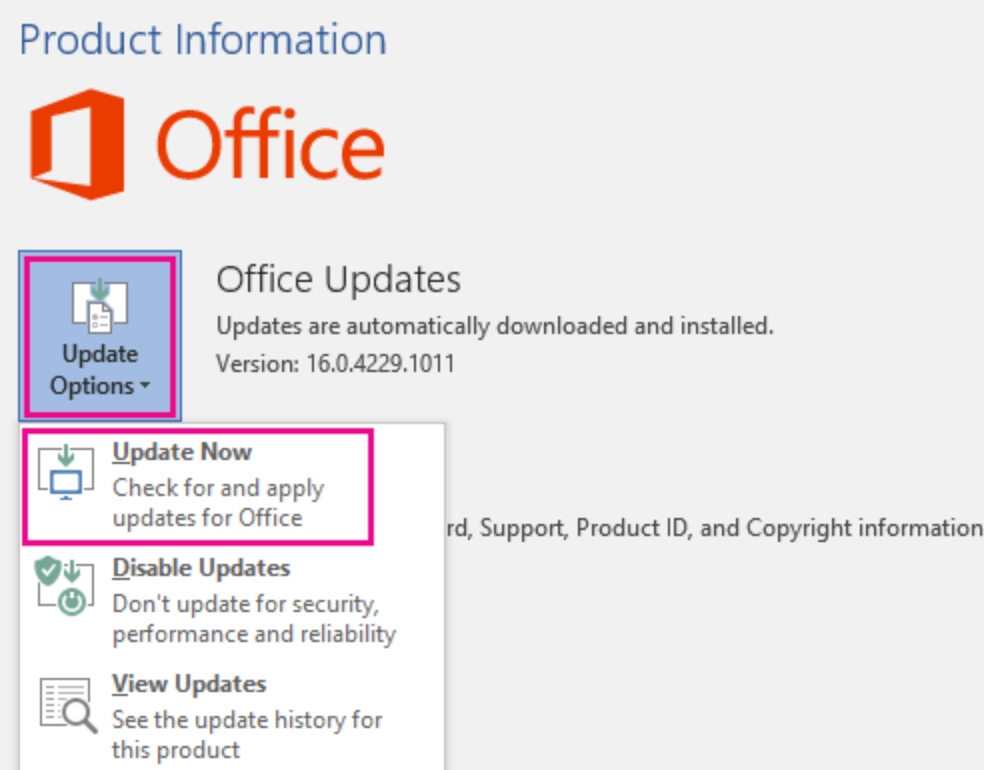
- Install available updates and restart Outlook.
Fix 2: Clear Outlook Cache
Corrupted cache files can trigger repeated login requests. Below are the steps to clear the cache:
- Press Windows + R.
- Type %LOCALAPPDATA%\Microsoft\Outlook.
- Open the RoamCache folder.
- Delete all files inside it.
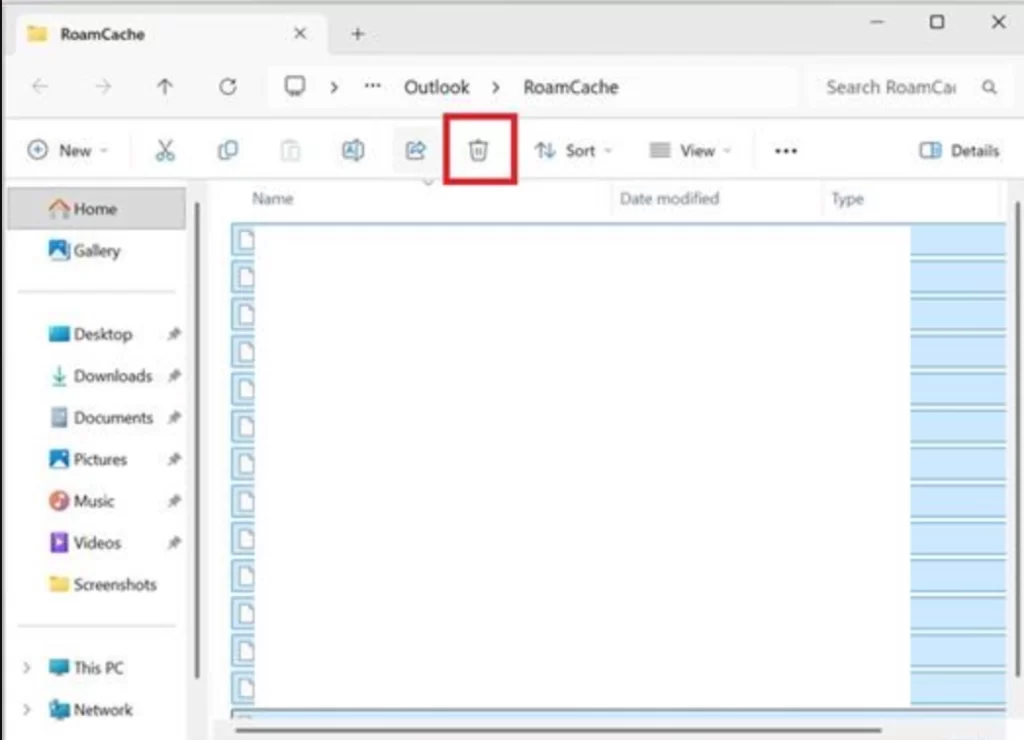
- Restart your computer and open Outlook.
Fix 3: Remove Saved Outlook Credentials
Old credentials stored in Windows can create authentication issues. The steps to Reset Credentials are here:
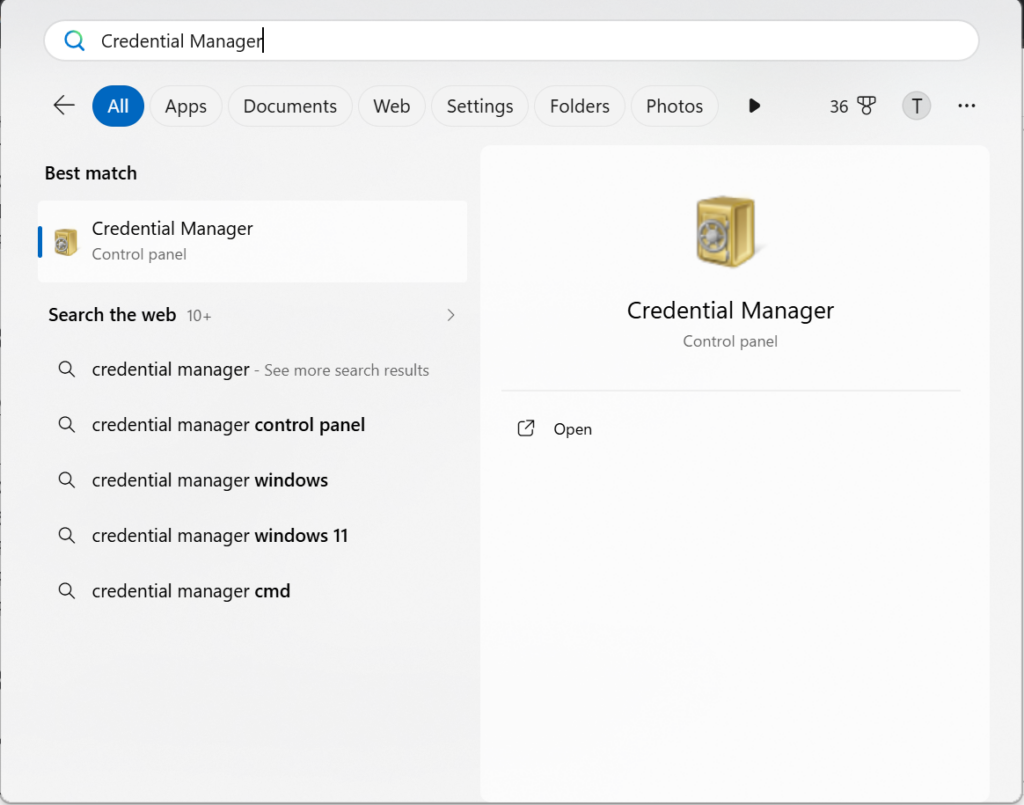
- Open Credential Manager from the Start menu.
- Select Windows Credentials.
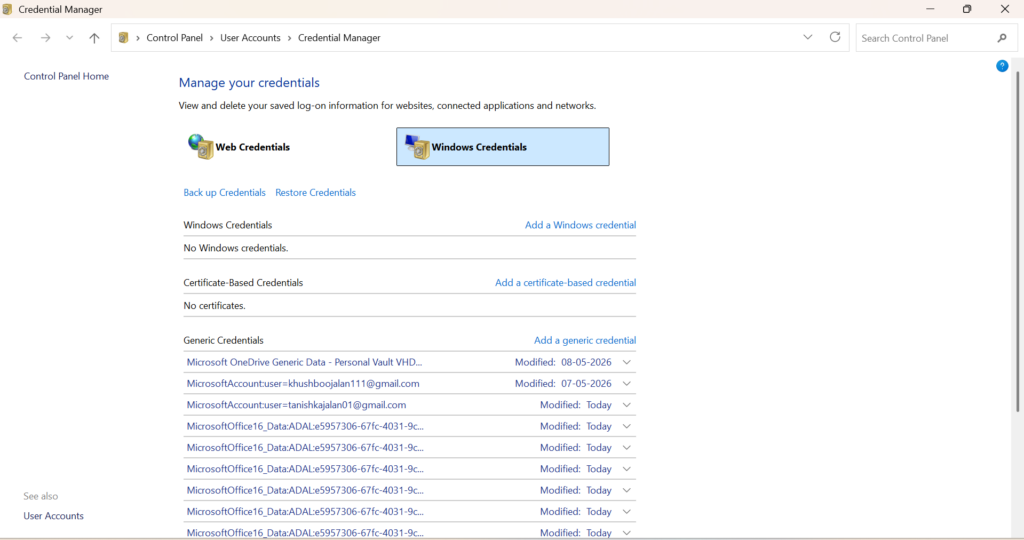
- Find Outlook or Microsoft Office entries.
- Remove the related credentials.
- Restart Outlook and sign in again.
Fix 4: Create A New Outlook Profile
A damaged Outlook profile can cause frequent sign-outs. Learn the steps to create a new profile:
- Open Control Panel.
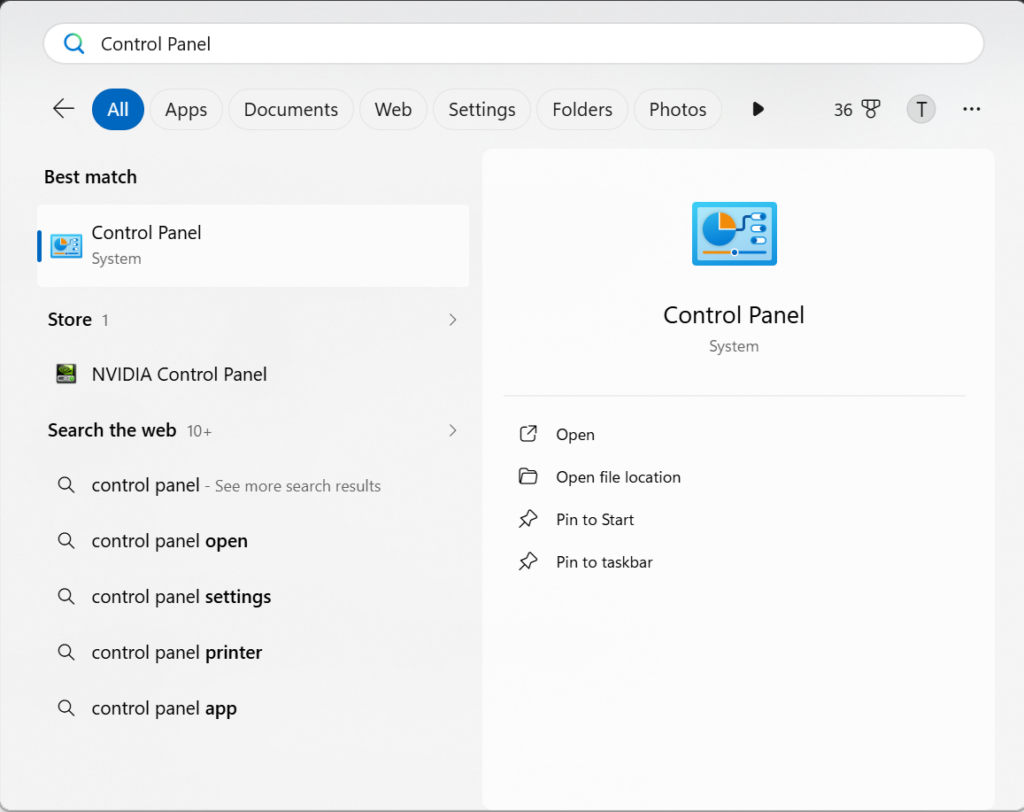
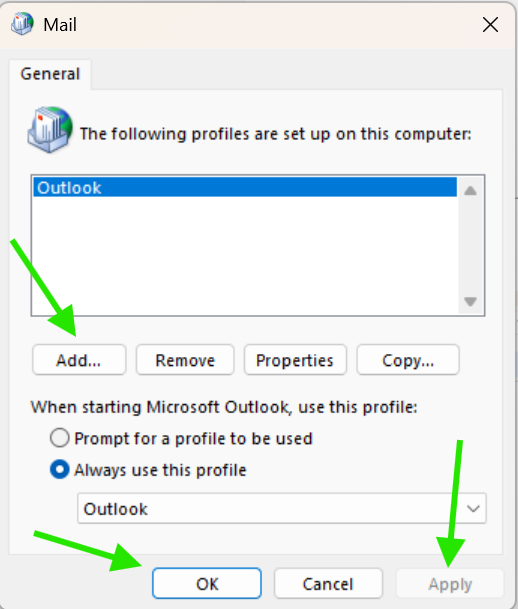
- Find Mail and select Show Profiles.

- Click Add.
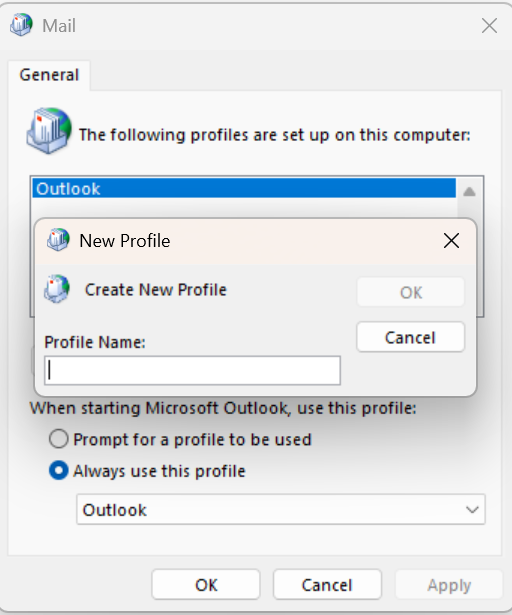
- Enter a profile name.
- Add your email account and complete the setup.
- Launch Outlook using the new profile.
Fix 5: Disable VPN And Check Internet Connection
If you use a VPN, temporarily disable it and try signing in again. Also, make sure your internet connection is stable.
So, if your Outlook keeps signing you out on Windows:
Start by updating the app. Try clearing the cache, remove saved credentials. And if the problem continues, create a new Outlook profile and review your authentication settings.
Hopefully, these solutions will resolve most Outlook sign-in issues quickly.

Leave a Reply