


If your WordPress RSS feed is not working, subscribers may not receive updates when you publish new content. This can reduce traffic and affect content distribution.
However, the great news is that RSS feed issues are usually easy to fix with a few troubleshooting steps.
Fix WordPress RSS Feed Not Working
Let’s show you the fixes:
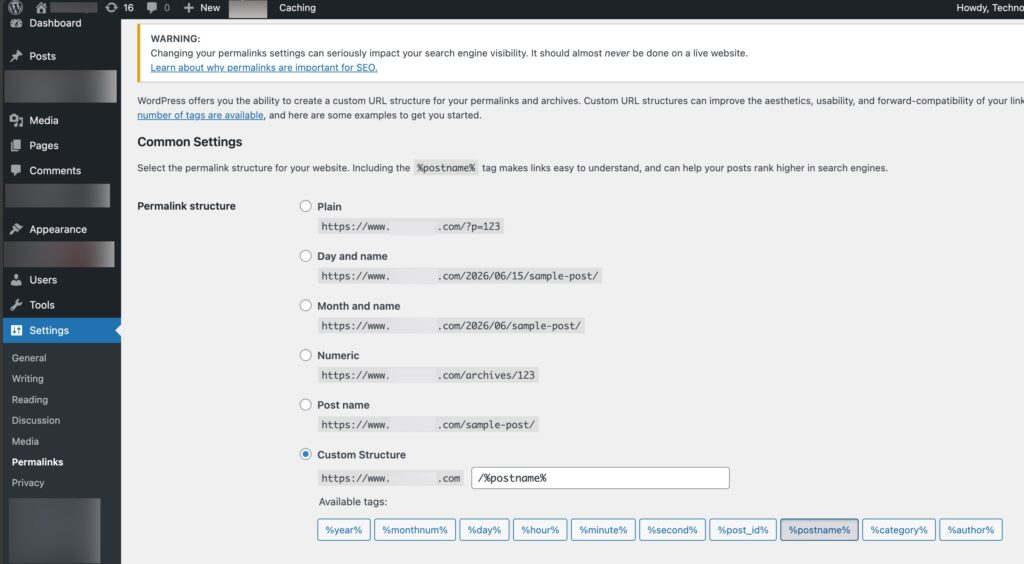
Fix 1: Check And Refresh Permalink Settings
Incorrect permalink settings can sometimes break RSS feeds. Here is how to fix it:
- Go to Settings > Permalinks in WordPress.
- Click Save Changes without making any edits.
- This refreshes WordPress URL rules and may restore the RSS feed.
Fix 2: Disable Plugins And Find Conflicts
A faulty plugin can interfere with RSS feed generation. Below are the steps to follow to fix a WordPress RSS feed not working:
- Open Plugins > Installed Plugins.
- Select all plugins and choose Deactivate.
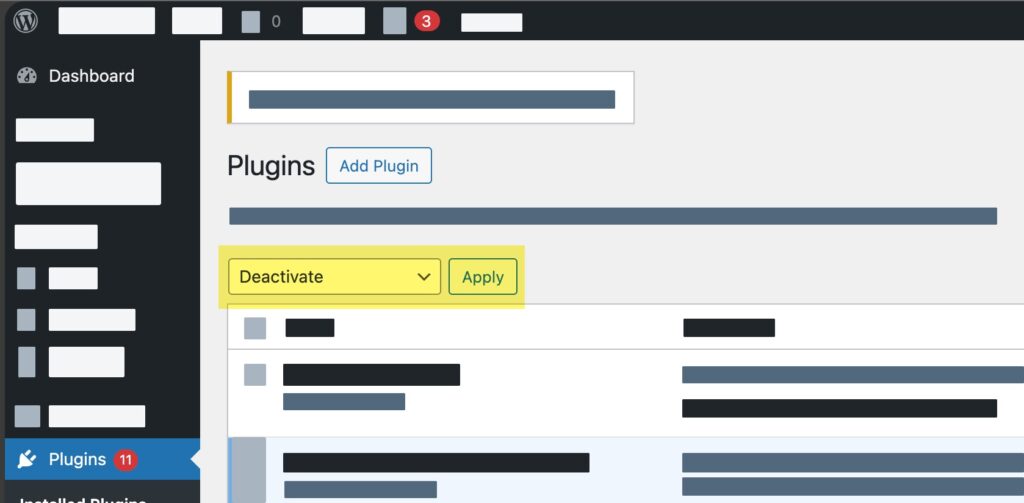
- Check whether the RSS feed works.
- Reactivate plugins one by one.
- Identify the plugin causing the issue and replace or update it.
Fix 3: Switch To A Default WordPress Theme
Theme-related coding issues can also break RSS feeds. Here is what you need to do:
- Go to Appearance > Themes.
- Activate a default WordPress theme such as Twenty Twenty-Four.
- Test the RSS feed again.
- If the feed works, your current theme is likely causing the problem.
Fix 4: Validate The RSS Feed
A feed validator helps locate XML formatting errors. Steps are listed below:
- Open your RSS feed URL (yourdomain.com/feed).
- Check it using an online RSS validation tool.
- Review the reported errors and fix the affected files.
Fix 5: Review The functions.php File To Fix WordPress RSS Feed Not Working
Extra spaces or incorrect code in the functions.php file can trigger RSS errors. Fixes are listed below:
- Open the active theme’s functions.php file.
- Remove unnecessary blank spaces.
- Ensure there is no extra content after the closing PHP tag.
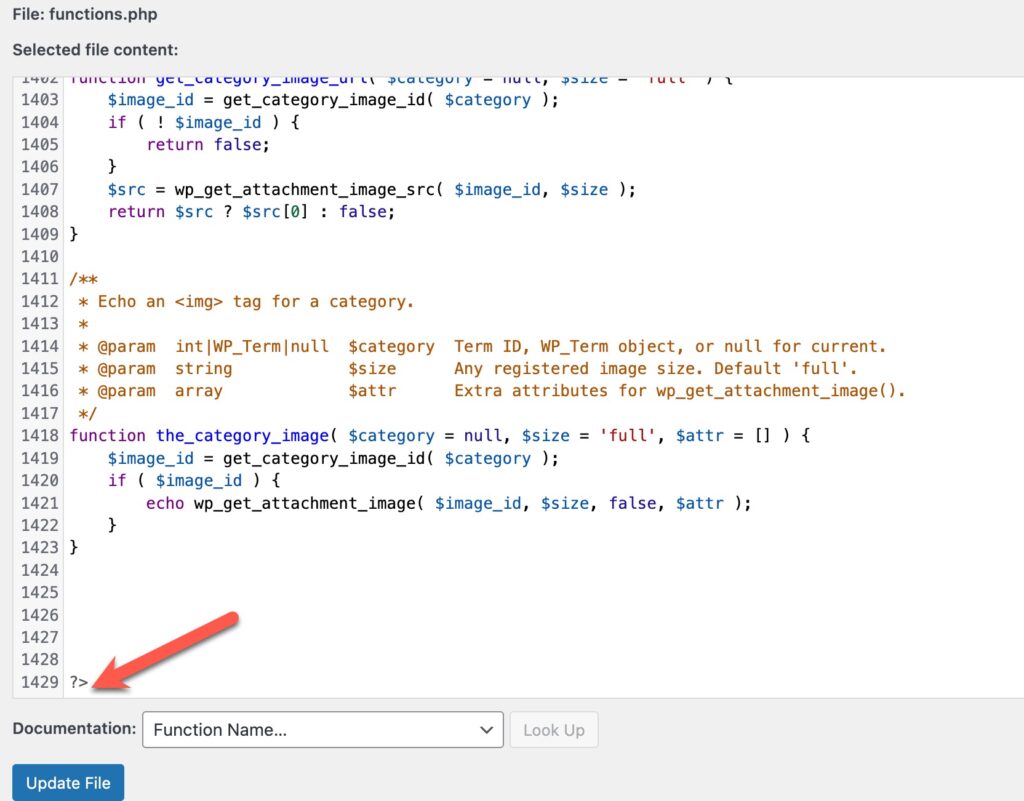
- Save the file and test the feed again.
Fix 6: Create A Custom RSS Feed Safely
If you need advanced feed customisation, use a code snippet plugin instead of editing theme files directly. This reduces the risk of formatting mistakes and feed errors.
So, the most common WordPress RSS feed problems stem from plugin conflicts, theme issues, permalink errors, or incorrect code formatting.
Follow these methods above one by one to quickly restore a working RSS feed and keep your subscribers updated.

Leave a Reply