

Error 429 Too Many Requests for WordPress is an error message that can be triggered easily by placing too many requests on a server or security system too quickly. In layman’s terms, your WordPress site is trying to do too much, and doing it too fast.
These words could appear at the top of your website or WordPress admin panel when it loads, or when you click on a specific area of your site: “429 Too Many Requests,” “HTTP 429” or “Too Many Requests.” In this guide, you will learn about the best solution one by one and you can see what’s causing this WordPress error 429 Too Many Requests and how to resolve this error.
Fix Error 429 Too Many Requests for WordPress
Though it’s called WordPress Error 429 Too Many Requests, this problem is usually due to either too many or too many frequent requests. After the error has been corrected, the next focus is to prevent it from happening again: optimize, secure, update and monitor your WordPress installation.
Fix 1: Find the Rogue Plugin Causing Excessive Requests
The application plugin might be installed or setup wrong, running it an infinite number of requests to your server, which is causing the error code “Too Many Requests” (HTTP 429).
1. Go to your WordPress login page – https://wordpress.com/log-in or https://example.com/wp-login.php for self-hosted blog.
2. Go to Plugins > Installed Plugins. Temporarily deactivate recently installed or updated plugins.
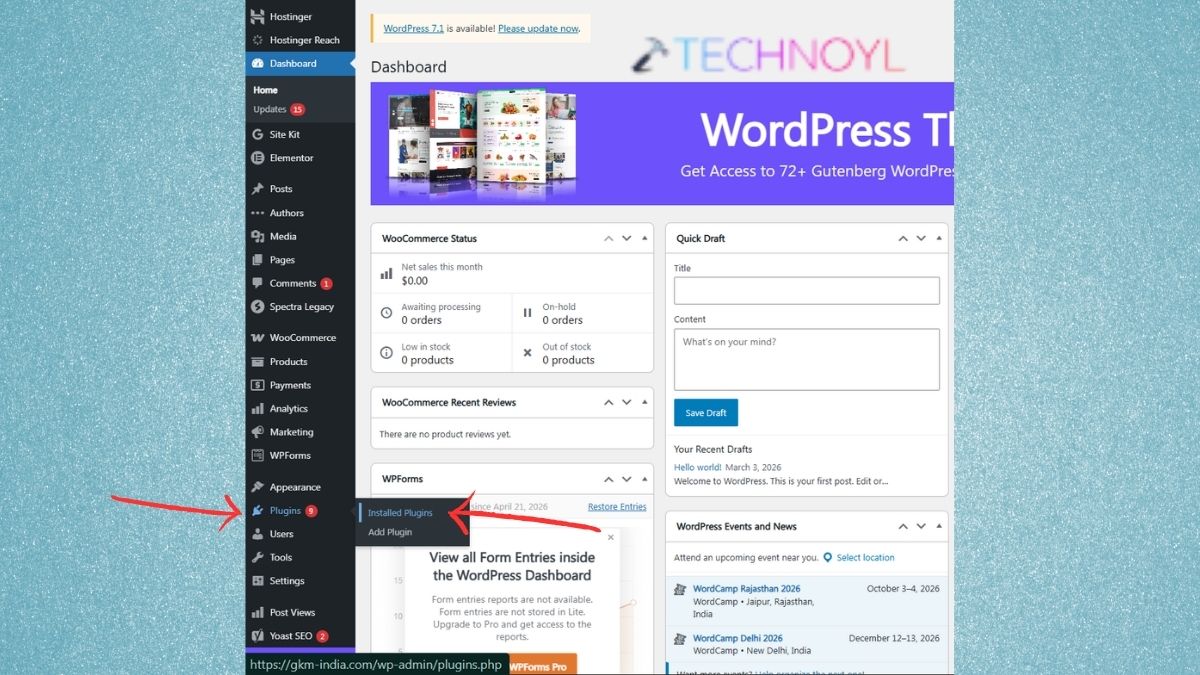
3. Look for new and possibly suspicious plugins. Turn them off, and refresh the screen.
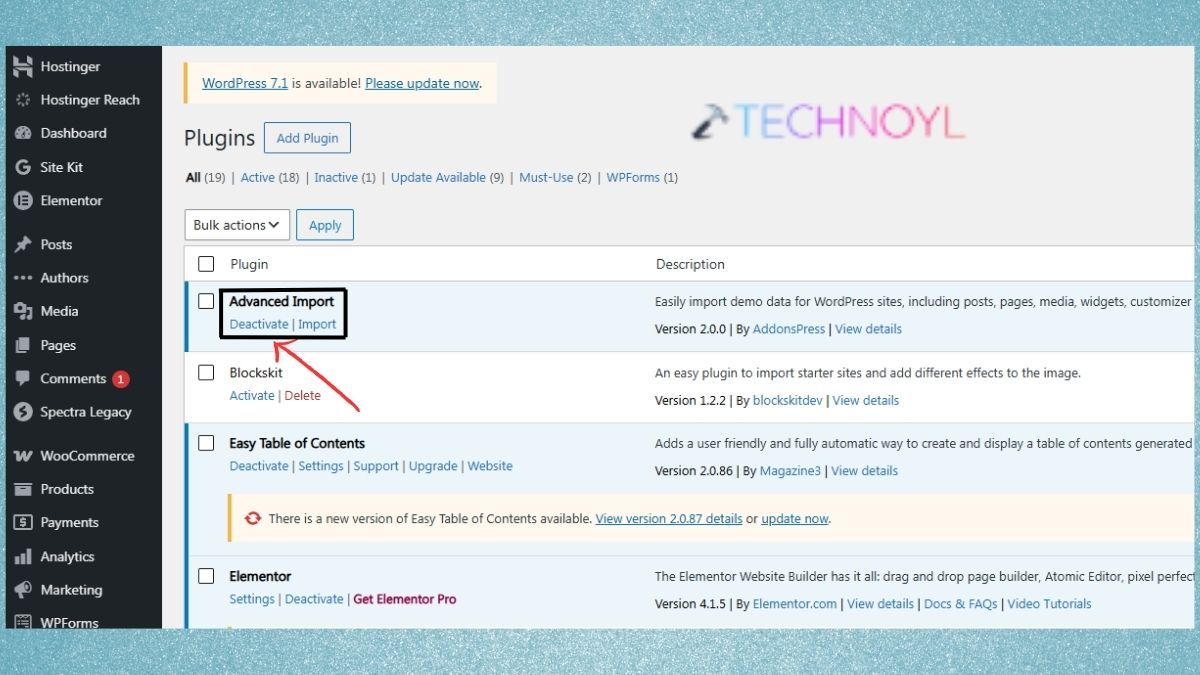
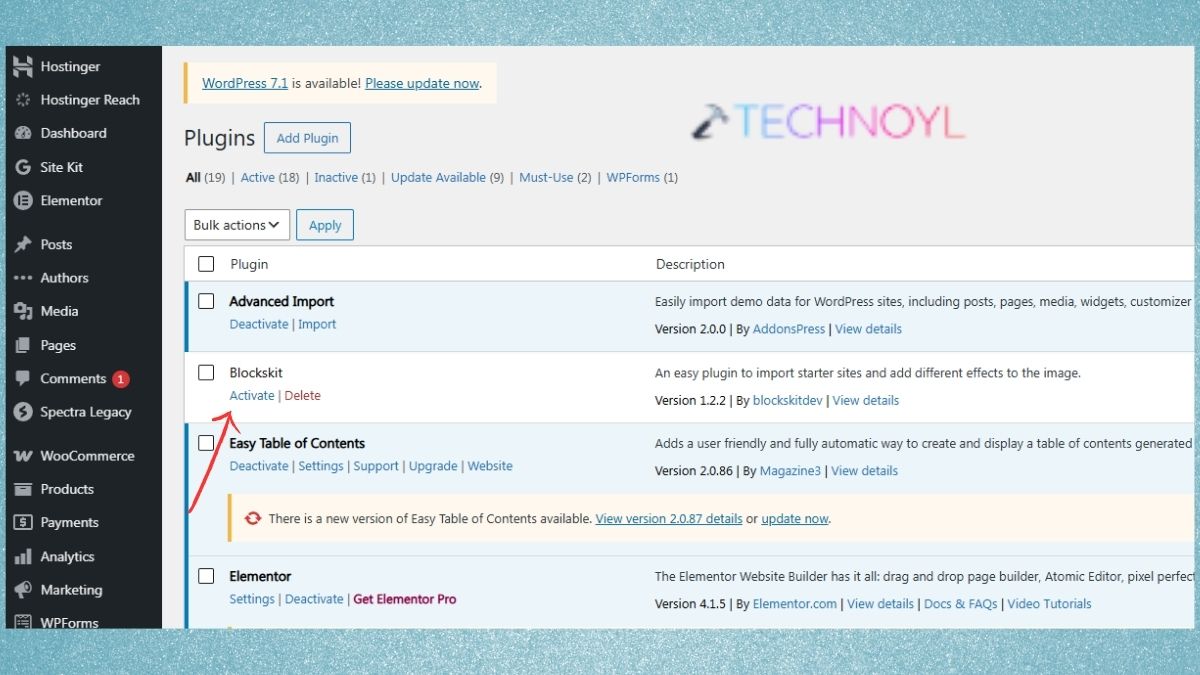
4. If the error disappears again, turn off the plugins until it appears again.
If you cannot access your account’s dashboard, then you may link to your file manager or your hosting control panel and quickly change the name of the “wp-content/plugins/” folder to deactivate all your plugins.
Fix 2: Switch to a Default WordPress Theme
Sometimes an excess number of requests are generated due to a theme conflict.
1. Log in to Appearance > Themes.
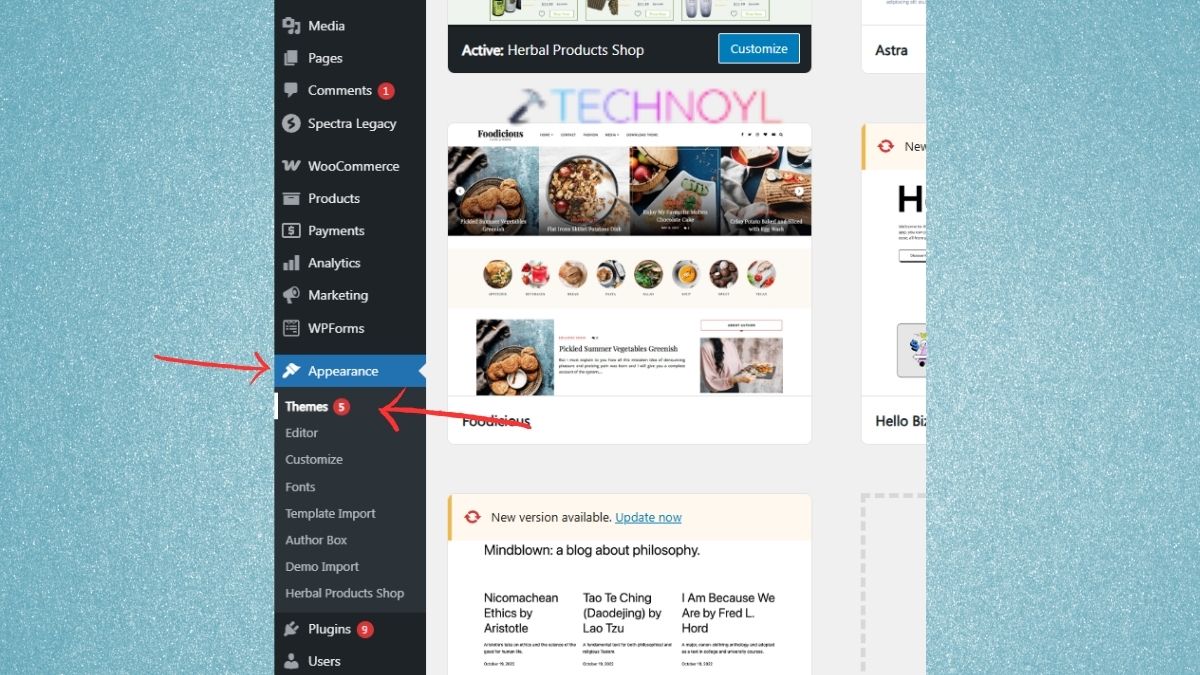
2. Next, install a default WordPress theme, like Twenty Twenty-Five or the most recent default theme for your site.
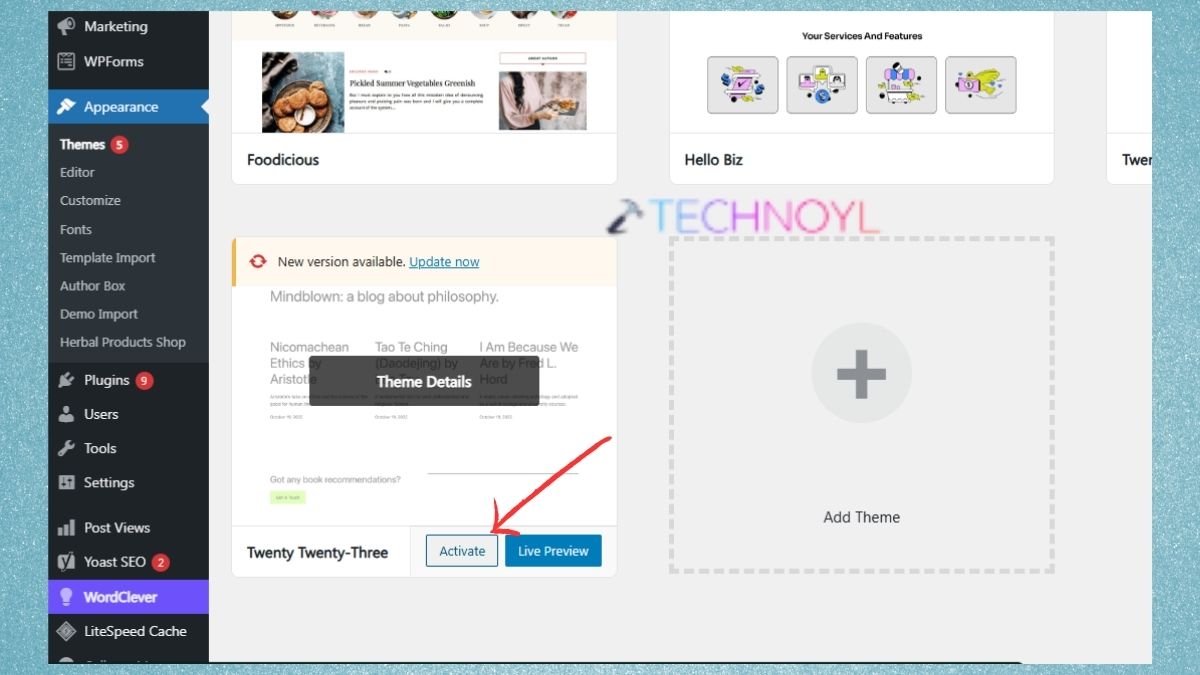
Look and see if the 429 error goes away. If it does, update your theme and/or the plugins installed in it, or seek assistance from the theme author.
Fix 3: Check for Brute-Force Login Attacks
After multiple failed log-in attempts, WordPress might rate limit, and display an Error 429. Watch for any abnormal activity on any of the folders on “/wp-login.php” and on “/wp-admin/”.
Be certain to review these points so you can gain security to your own website:
- Use a good WordPress security plugin.
- Enable login attempts to be made.
- Configure security administrator logins.
- If possible, employ two-factor authentication.
- Keep WordPress, themes and plugins up to date.
Fix 4: Review Third-Party API Integrations
There are a lot of API calls the 3rd party tools can make – Payment Gateway, email providers, analytics providers, social networks, etc. This is where you can see the plugin options, and troubleshoot if there are any API error, API limits or connection problems. If necessary, reconnect to the API, and update the plugin. Additionally, if a service has established a rate limit you might end up having to wait for the rate limit to reset, or for the service’s support team to let you know.
Fix 5: Check Your SSL Certificate Configuration
But it is not always possible that SSL issues will result in the 429 error response. On the other hand, problems in the HTTPS settings may cause infinite redirects or requests that can generate some weird traffic behaviour.
Be sure to look at these points before becoming lost in this error:
- Your SSL Certificate is not expired.
- WordPress Address is correct and so is the Site Address and it is set as the correct HTTPS URL.
- Right configuration of your CDN / proxy.
- No loop is formed when using HTTP to HTTPS redirects.
Plus, if you also temporarily disable recently changed SSL, CDN or caching settings you can determine if these settings are creating problems.
Fix 6: Contact Your WordPress Hosting Provider
If the above solutions don’t apply, the problem may be caused by server side rate limiting. So, you will need to contact your web hosting company and ask them to do the following checks:
- Server access logs
- Rate-limit rules
- Firewall settings
- ModSecurity rules
- The amount of CPU and memory used.
- Suspicious traffic
- The requests by the IP address
In most cases, your web host should be able to tell you from the log of the server where the 429 error is originating from.
Fix 7: Be Careful With Crawlers and Scanners
From search engines to SEO tools, uptime monitors, vulnerability scanners, and malicious bots, there are numerous tools which can generate countless requests. So, it is advisable to check your server or security-plugin logs on a regular basis for unusual visitors. Prevent legitimate search engine bots from being blocked and prevent suspicious bots from accessing your site through your security solution, CDN, firewall or hosting provider. Also, your risk can be facing part of legitimate crawlers that can hurt WordPress SEO and search engine indexing.
Frequently Asked Questions (FAQs)
What does Error 429 Too Many Requests mean in WordPress?
Too Many Requests (429) means that you are sending too many requests in a short amount of time, to the website or the server.
Can a WordPress plugin cause Error 429?
Yes, a buggy plugin can cause it. If there are plugins that are causing the problem, then disable them temporarily to determine if they are causing the problem.
Is Error 429 bad for WordPress SEO?
Temporary 429 does not always negatively impact on SEO. But if the search engine bots keep getting the 429’s, it is possible that crawling and indexing of your site can be impacted.
That’s it!

Leave a Reply