


Sometimes you download a video and realise it has no subtitles. Other times, you may want to add captions for YouTube videos, movies, tutorials, or online classes to add value to your video and help the audience to clearly understant the audio. That is where SRT files help.
An SRT file basically stores subtitle text along with the exact timing for when each line should appear on screen. Now the good thing is that creating an SRT file on Windows is simple and requires no advanced skills.
What Is An SRT File?
An SRT file is a subtitle file format used for videos. It contains:
- Subtitle number
- Start and end time
- Subtitle text
These files are widely supported by video players and editing software.
How To Create An SRT File On Windows
Method 1: Create An SRT File Using Notepad
Windows Notepad is the easiest way to create subtitles manually.
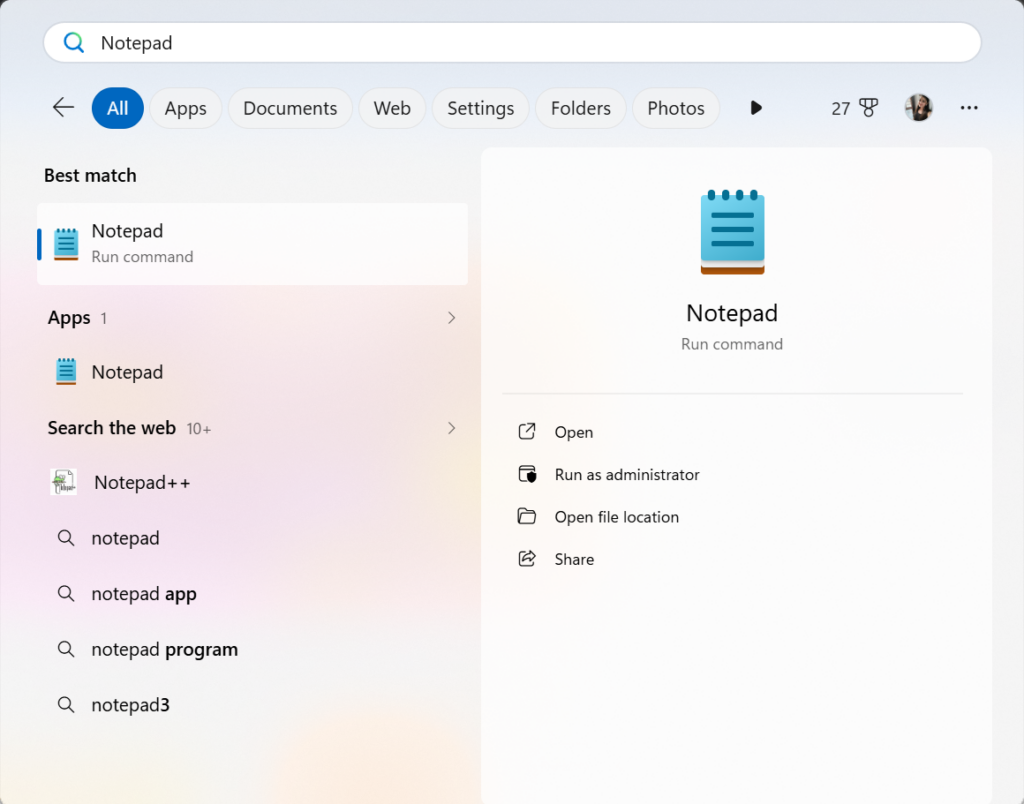
Step 1: Open Notepad.
Press the Windows key, search for Notepad, and open it.
Step 2: Enter Subtitle Number.
Start with the number 1 for the first subtitle line.
Step 3: Add Time Codes.
On the next line, enter the start and end timing in this format:
00:00:00,000 –> 00:00:05,000
This means the subtitle will appear at 0 seconds and disappear after 5 seconds.
Step 4: Type the Subtitle Text
Write the subtitle sentence below the timing line.
Example:
1
00:00:00,000 –> 00:00:05,000
Welcome to our tutorial.
Step 5: Add More Subtitle Lines. Press Enter twice and repeat the same format for the next subtitle.
2
00:00:06,000 –> 00:00:10,000
This is the second subtitle.
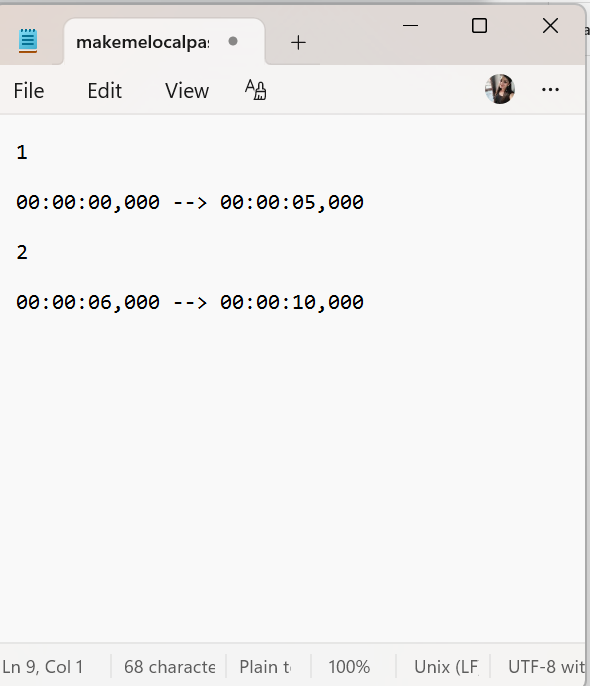
Step 6: Save the File as SRT.
- Click File > Save As
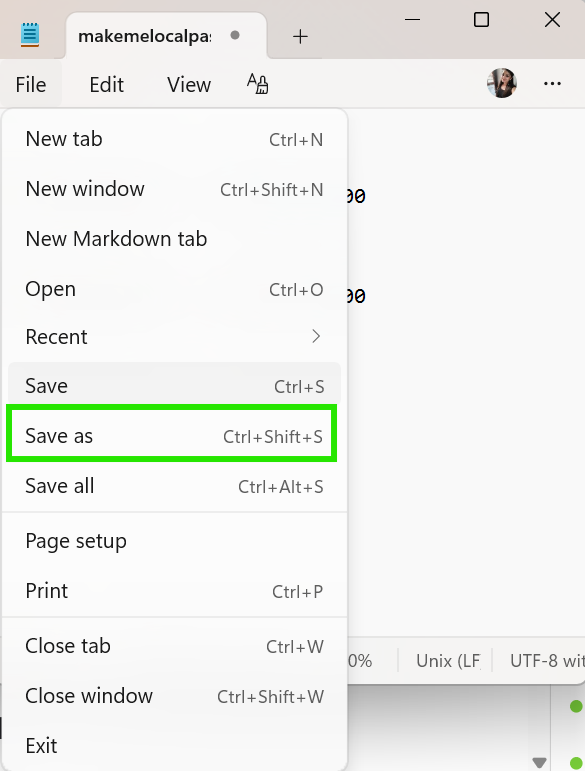
- Change Save as type to All Files
- Enter the file name with the .srt extension
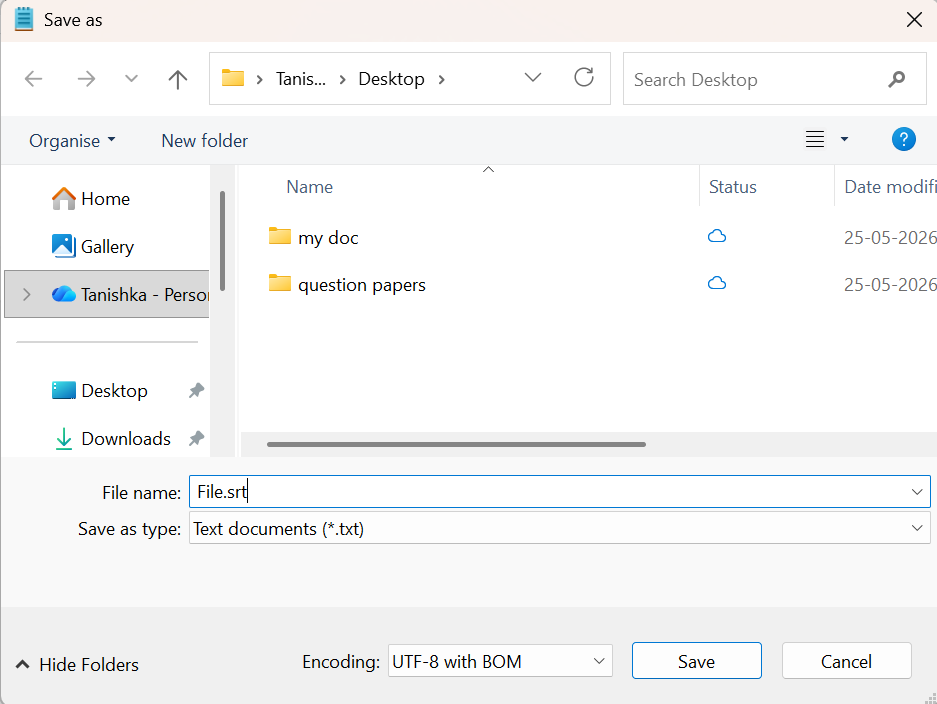
Example:
subtitles.srt
Step 7: Click Save.
Method 2: Use Free Subtitle Editor Software
If you want an easier method with preview options, you can use free subtitle editors such as:
1. Subtitle Edit
A popular subtitle editor that supports SRT and many other subtitle formats. You can get it from https://www.nikse.dk/subtitleedit.
2. Jubler Subtitle Editor
Simple software for creating and editing subtitle timings. Download this tool from https://jubler.org/.
3. Gaupol
Useful for editing subtitles in multiple formats. It is available to download at https://otsaloma.io/gaupol/.
Summary
Creating an SRT subtitle file on Windows is quick and easy. You can use Notepad for basic subtitle creation or try free subtitle editor software for advanced features.
Once created, the SRT file can be added to videos to improve accessibility and the viewing experience.

Leave a Reply