


Login to a new computer with a Microsoft account should be a straightforward process, yet many users encounter unexpected hurdles. In this article, we’ll talk about one common frustration arises when a valid account already in use elsewhere triggers the error message:
The Microsoft account doesn’t exist. Enter a different account or get a new one.
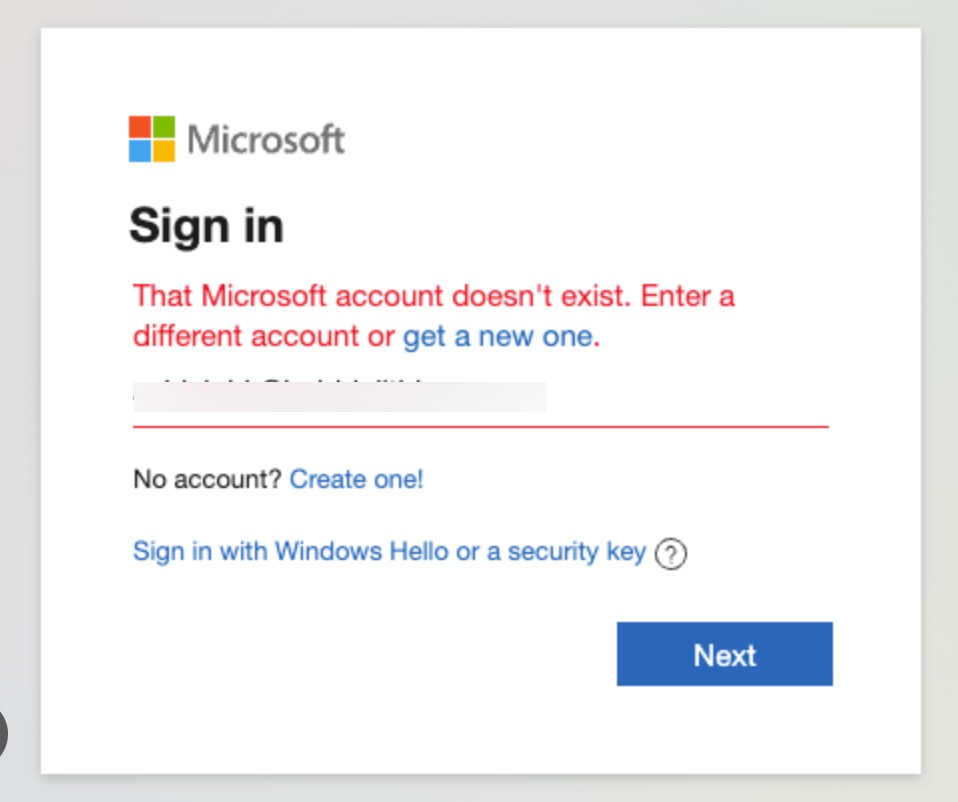
The Microsoft account doesn’t exist error
This confusing error leaves users wondering what went wrong and how to proceed. According to a user, his experience with this error is described below:
This is a fairly recent change that I have observed, with great frustration. Instead of being able to set up a computer out of the box with our Microsoft 365 account for work, the system makes us sign in with a MICROSOFT account, which is totally different. I set mine up some time ago, personally, with my aol account. When I unpack a new unit, I have to start it off with that personal MICROSOFT account which is different from the work-related Microsoft 365 account.
So set up something, even if you have to open a new email account at Outlook.com or aol or whatever else it will take. That should let you at least set up the machine.
A local account is like setting up another user, but it’s only on that one computer. The local account isn’t looking to a server, if it is domain joined, and it’s not looking to Azure Active Directory, if it’s joined to a Microsoft 365 account. I haven’t been able to find a way to set that up right out of the box, though. The thing just stops you cold until you satisfy it with a MICROSOFT account, but it won’t tell you what a Microsoft account even is. Very frustrating to a sysadmin who needs to set up machines for employees that aren’t on premises to give me passwords and 2FA codes received on their cell phones.
Since you’re reading out, you might have same incidents. There are still some methods you can try to fix out this issue.
How to fix The Microsoft account doesn’t exist. Enter a different account.
The Microsoft has shared a resolution for this:
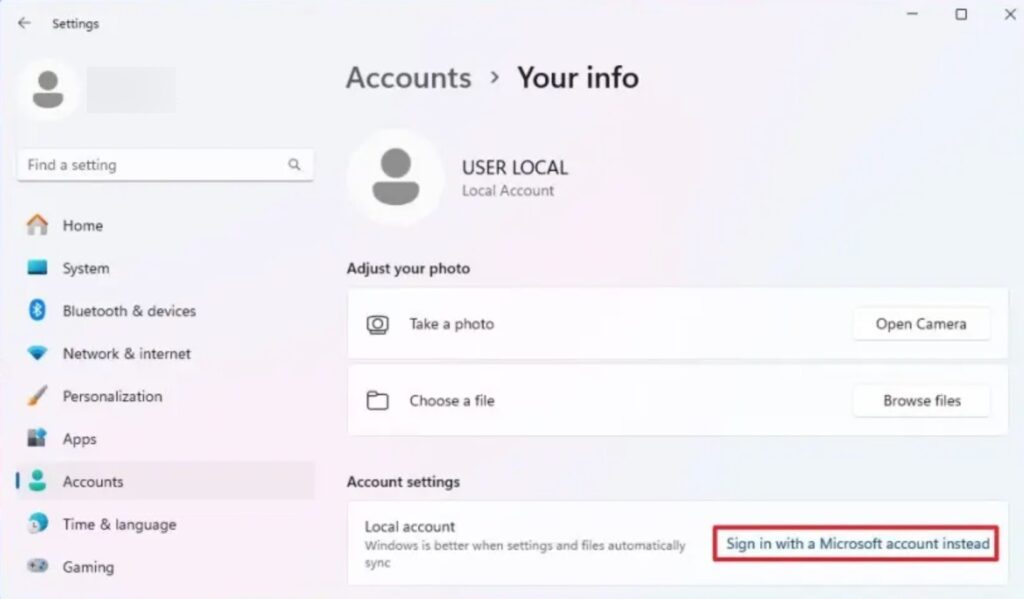
Try to use a local account for login, then go to Settings > Accounts > Your info (in some versions, it may be under Email & accounts instead).
Select Sign in with a Microsoft account instead, enter your Microsoft account credential for switching.
The error Microsoft Account does not exist usually means:
The person is logging in using an Alias. If the user renamed the affected email address into a new account, the original account will become an Alias.
Thus logging in using the original account (Alias) will trigger the system to prompt the user that it does not exist. The solution is to log in using the new account.
The person mistyped the email address. Retyped the correct email address.
The person did not access the account (with a browser) within 365 days. The account will be deleted permanently in the system due to inactivity. You may recreate the account as a new account if it is still available.
Hope that helps!
