


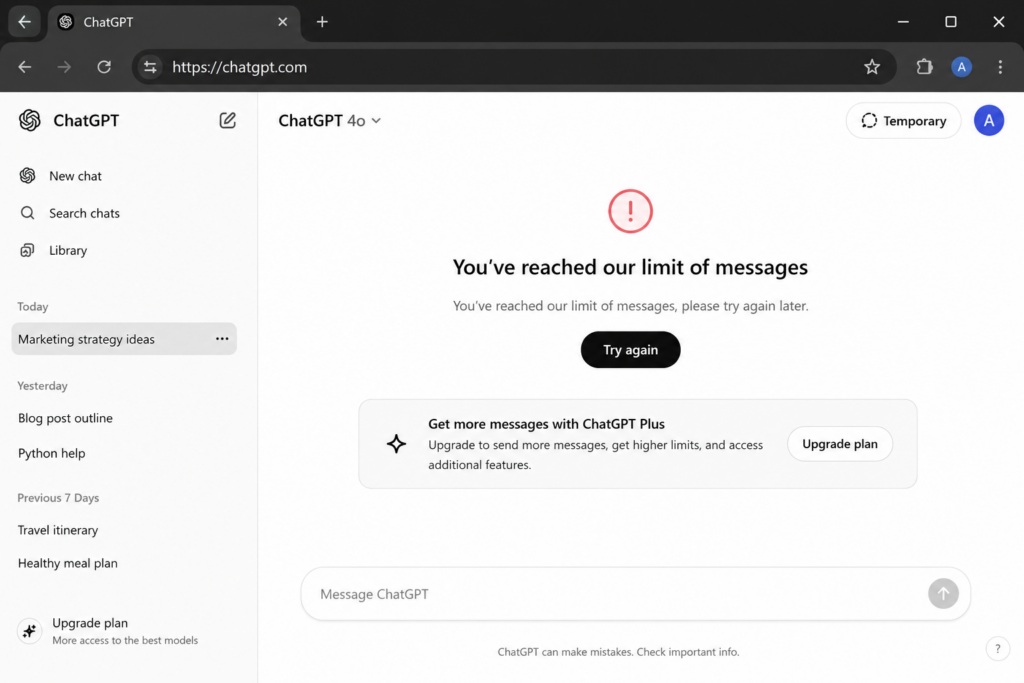
ChatGPT Error: “You’ve Reached Our Limit Of Messages.” Suddenly, you realised what if you won’t be able to submit your urgent assignment?
Wait, don’t panic!
Usually, this message appears when you hit the limit of your free or paid plan. However, some users still see this error before reaching the actual limit.
Thankfully, the fixes below can help.
Fix: You’ve Reached Our Limit Of Messages ChatGPT Error
Try these solutions to fix this ChatGPT Error below:
Fix 1: Perform Hard Refresh
Sometimes ChatGPT loads a lot of old cached files from your browser. That’s because this error occurs. To solve it:
- Press Ctrl + F5
- Or Ctrl + Shift + R
Now reload the webpage and quickly fix these temporary issues.
Fix 2: Check ChatGPT Server Status
The problem is not from your side. Occasionally, the ChatGPT server becomes slow or temporarily unavailable.
Visit the OpenAI Status Page and check whether any service outage is active. And if the server is down, wait a while and try again later.
Fix 3: Clear Browser Cache and Cookies
Corrupted cache and cookies can also trigger this error. You need to follow the steps below to fix this ChatGPT Error.”
Step 1: Press Ctrl + Shift + Delete.
Step 2: Select Cache and Cookies.
Step 3: Click Clear Data.
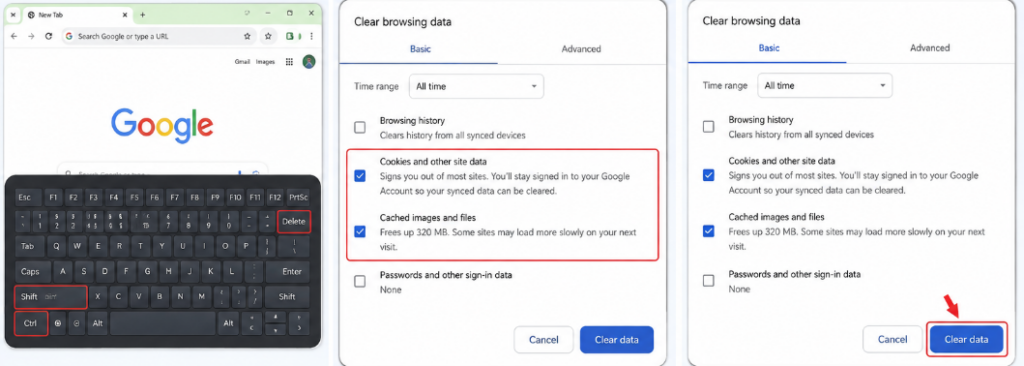
And it’s done! Now reopen ChatGPT to check if the issue is fixed.
Fix 4: Switch To Another Network
Sometimes your IP address gets temporarily rate-limited. So, in that case, try connecting to another network. You can use a mobile hotspot, another Wi-Fi network, or a VPN.
However, if you are already using a VPN, disconnect it first and refresh the page.
Fix 5: Start A New Branched Chat
Long conversations can also trigger message limit issues. And to fix this ChatGPT error:
- Open your current conversation
- Click the three dots beside an earlier message
- Select the Branch in the new chat
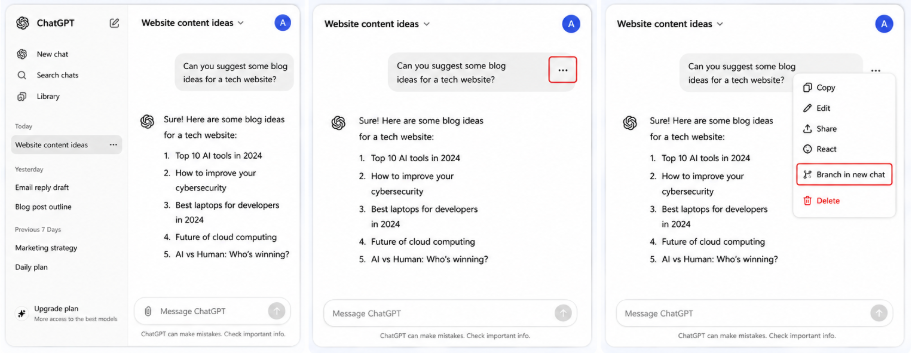
This creates a fresh copy of the chat while keeping the original conversation safe.
Now continue your prompts in the new chat.
Fix 6: Use Another Browser To Fix
If you are still facing this ChatGPT error, try opening it in another browser.
For example, if you use Chrome, switch to Edge or Firefox. Then sign in with the same account and test ChatGPT again.
So, these are the best solutions to the ChatGPT error. And if nothing works, wait for a while and try sometime later.

Leave a Reply