


If you’re seeing Event 1512 in Event Viewer in Windows, this article is for you. While shutting down, you might have this event recorded. The details along with the event is –
Event 1512 User Profile Service
Windows cannot unload the registry file. The memory used by the registry has not been released. This problem is often caused by services running under a user account. Try configuring services to run under either the LocalService or NetworkService account.
Details saying Access denied.
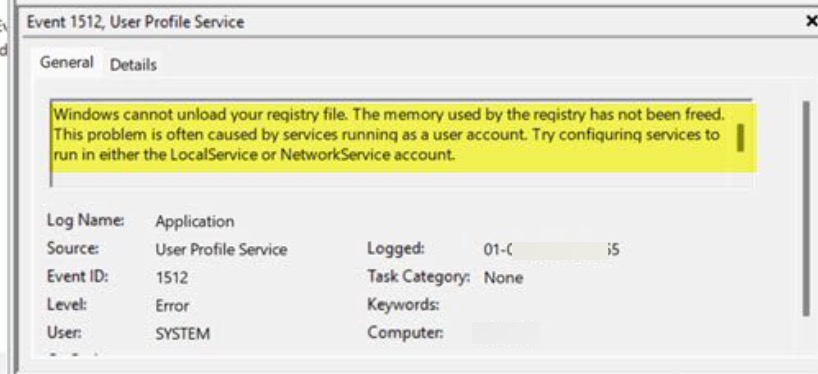
Event 1512 overview
Event ID 1512 occurs when an application or background service fails to release its lock on your user registry hive (NTUSER.DAT) during sign-out or shutdown. Because the file is locked, Windows cannot cleanly unload your profile. This is caused by third-party services such as antivirus/cloud sync tools running under your personal user account rather than as a system service. To resolve this issue, you must change third-party system configuration/app settings, so that it can release the lock on your registry hive.
Here’s how you fix this issue:
Fix Event 1512 User Profile Service error in Windows
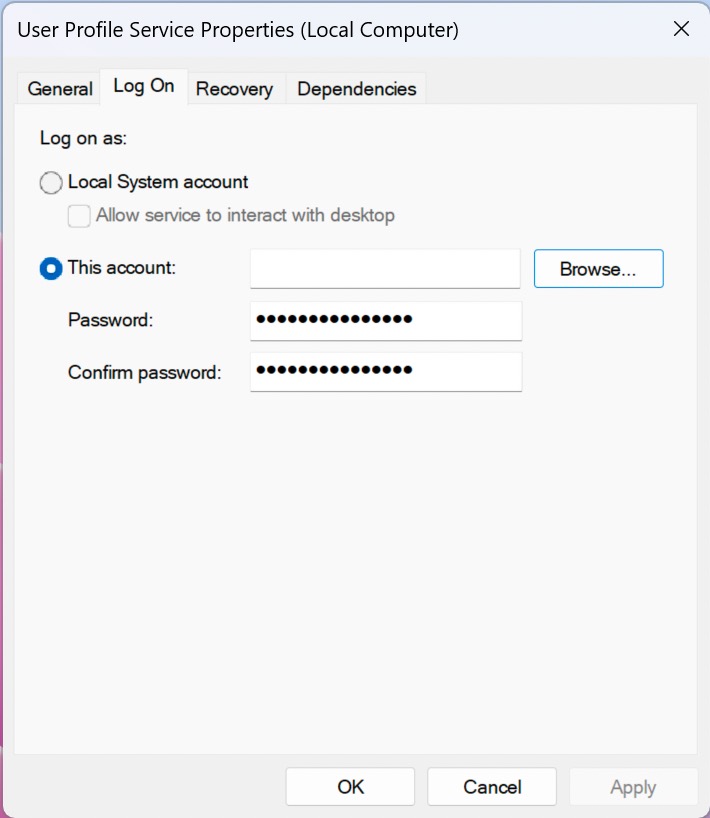
Change Service Log On Accounts
- Press
Win + R, typeservices.msc, and press Enter. - Locate any third-party services running under your personal user account.
- Right-click the service > Properties > Log On tab.
- Change the account to Local Service or Network Service, apply the changes, and restart your computer.
Disable Fast Startup
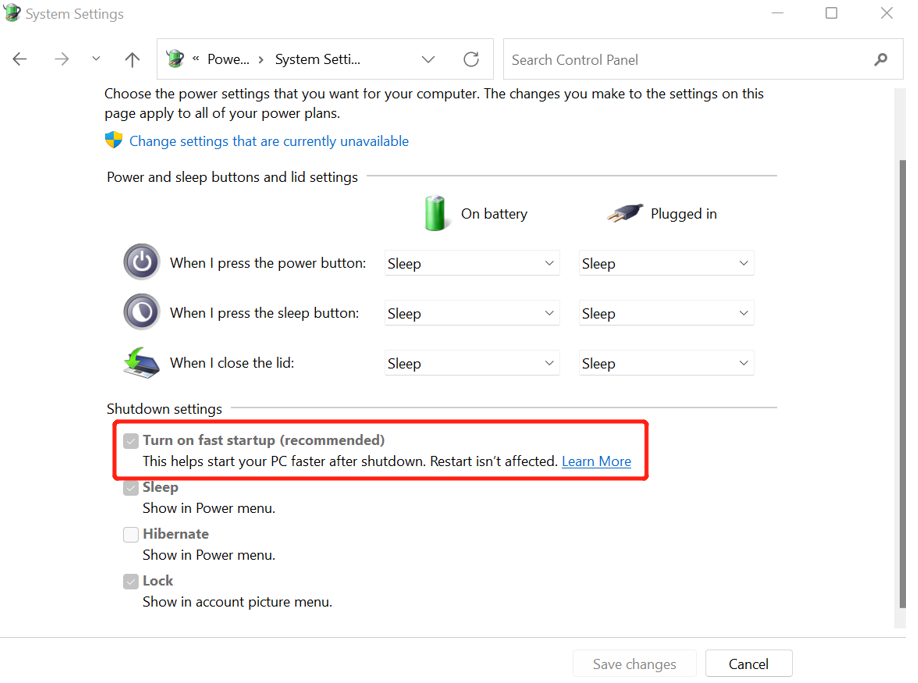
- Open Control Panel > Hardware and Sound > Power Options.
- Click Choose what the power buttons do.
- Click Change settings that are currently unavailable.
- Uncheck Turn on fast startup, then Save changes.
Perform a Clean Boot
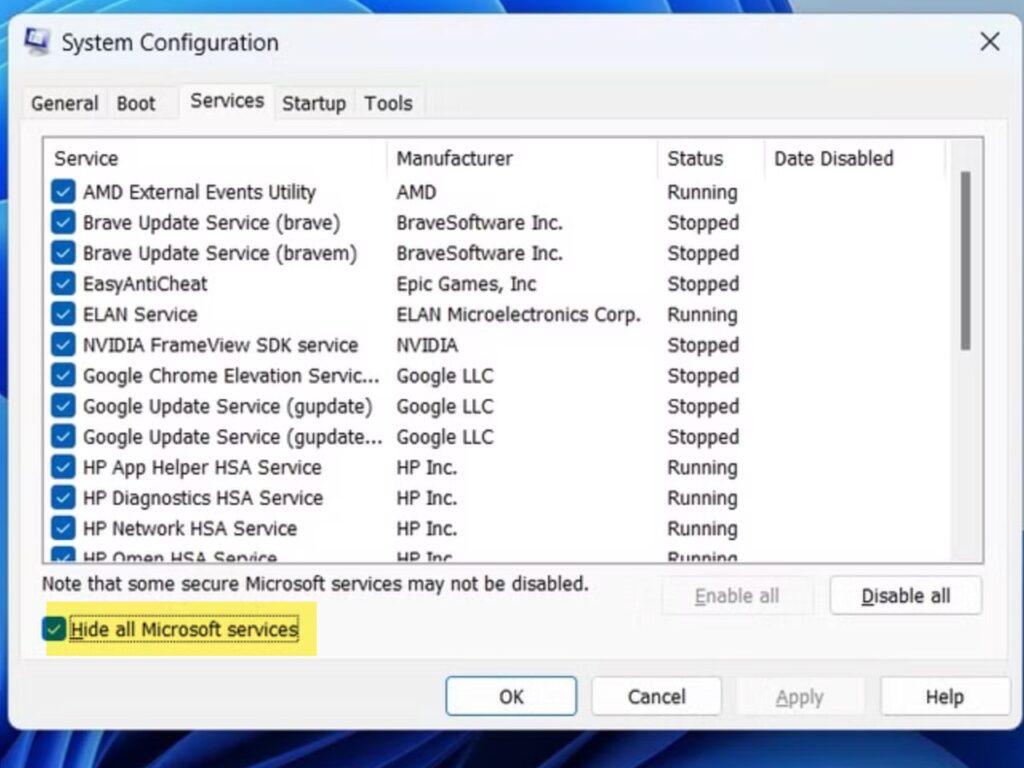
- Press
Win + R, typemsconfig, and press Enter. - Go to the Services tab, check Hide all Microsoft services, and click Disable all.
- Restart your computer. If the error is resolved, you can re-enable services one by one to identify the specific software causing the conflict.
After trying above solutions, you may be able to resolve event 1512 – User Profile service error.
